How it works
Four steps, one of which is the interesting one
Most markdown-to-PDF tools render HTML in a browser and screenshot the result. That is why their output has web margins, orphaned headings, tables that split down the middle and text you cannot select. Paperwork does not have a browser in it at all.
- 01
You post the content
Markdown, or structured blocks[] when you want exact control. Headings, lists, tables, quotes, code, callouts, key/value grids, signature lines. One request, one document.
- 02
It becomes a block tree
Not HTML. Your input is parsed into a typed tree of blocks — that is the whole security model, because a tag has nothing to escape into. Raw HTML is dropped and counted, and the count comes back in the response.
- 03
A template sets it
The template picks the measure, the type scale, the leading and the page furniture, then lays out the pages directly. No browser, no headless Chrome, no screenshot — real text you can select and search.
- 04
You get a link
The PDF is stored privately and returned as a signed 24-hour URL, re-minted free on every read. Set share:true and it is also published as a web page that opens instantly on a phone. 3 credits, once.
The five templates
What each one actually decides
A template is not a colour scheme. It sets the measure, the text face, the leading, the margins and the furniture — which is why the same words look like a different kind of object in each one.
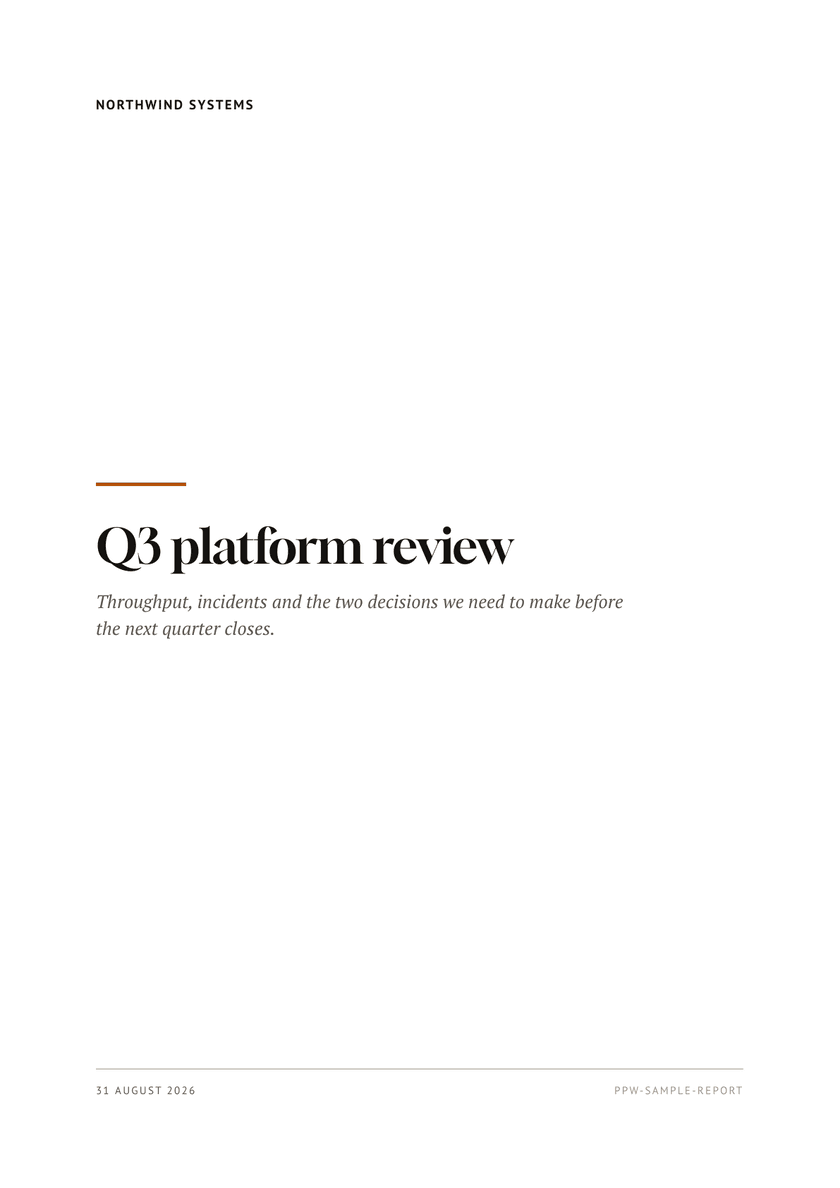
Report
reportA cover page, running heads, folio numbers and a serif text face. For anything long enough to need finding your place again.
PT Serif at 10.5/1.55 on a 68pt measure. Four pages, one hard break.
Open the sample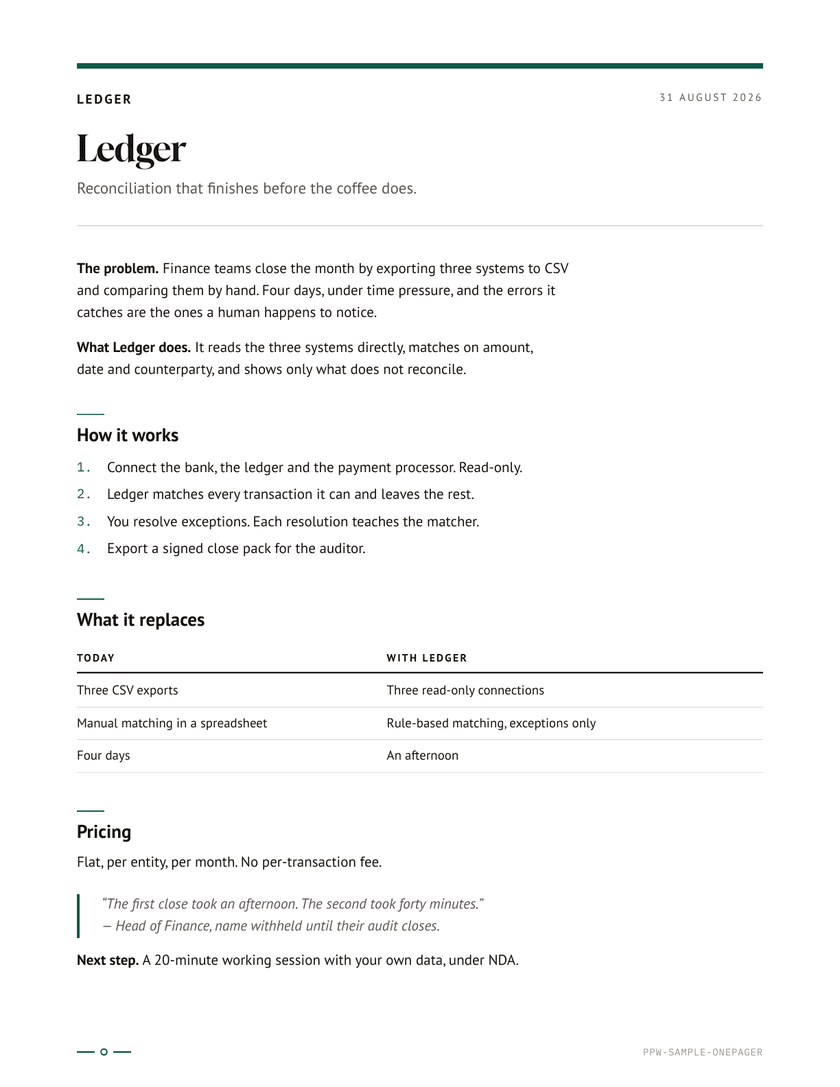
One-pager
onepagerOne dense sheet with a rule-topped masthead. Sans text, generous leading, built to be read standing up.
PT Sans, section spacing tightened until the argument fits one sheet.
Open the sample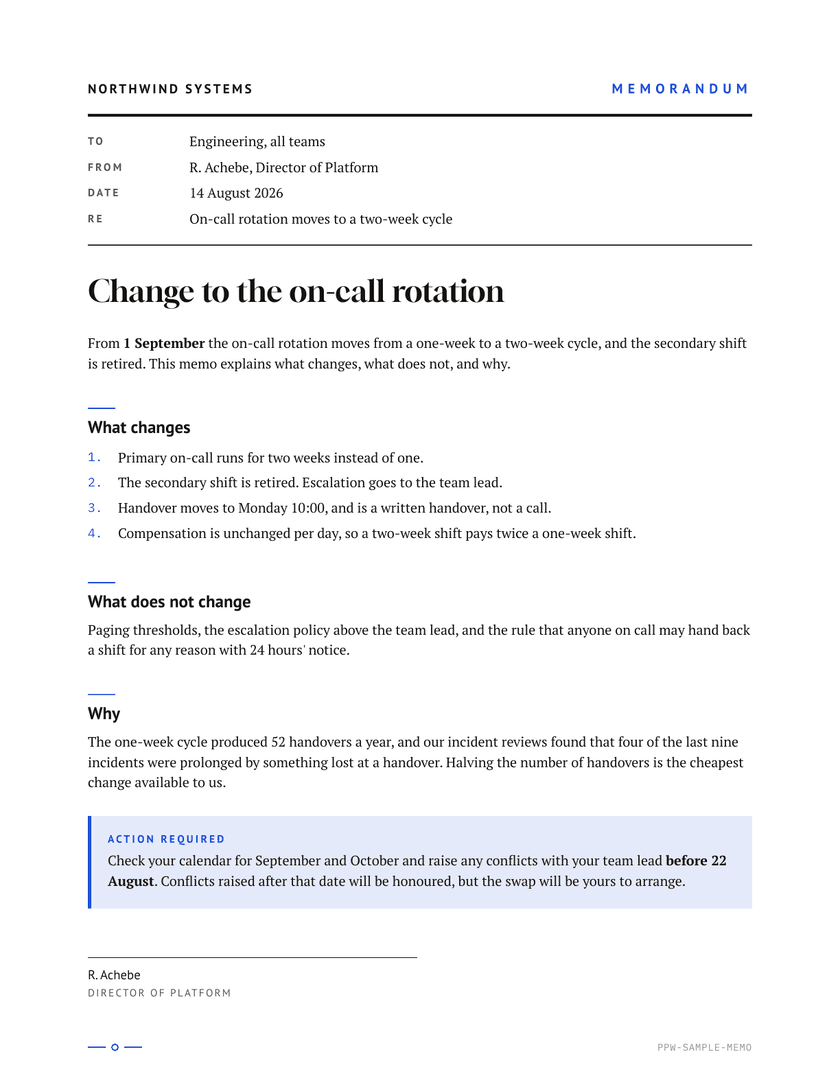
Memo
memoThe classic TO / FROM / DATE / RE block over a ruled body. Short, dated, filed.
Sans furniture over a serif body at 10/1.48. Signed, one page.
Open the sample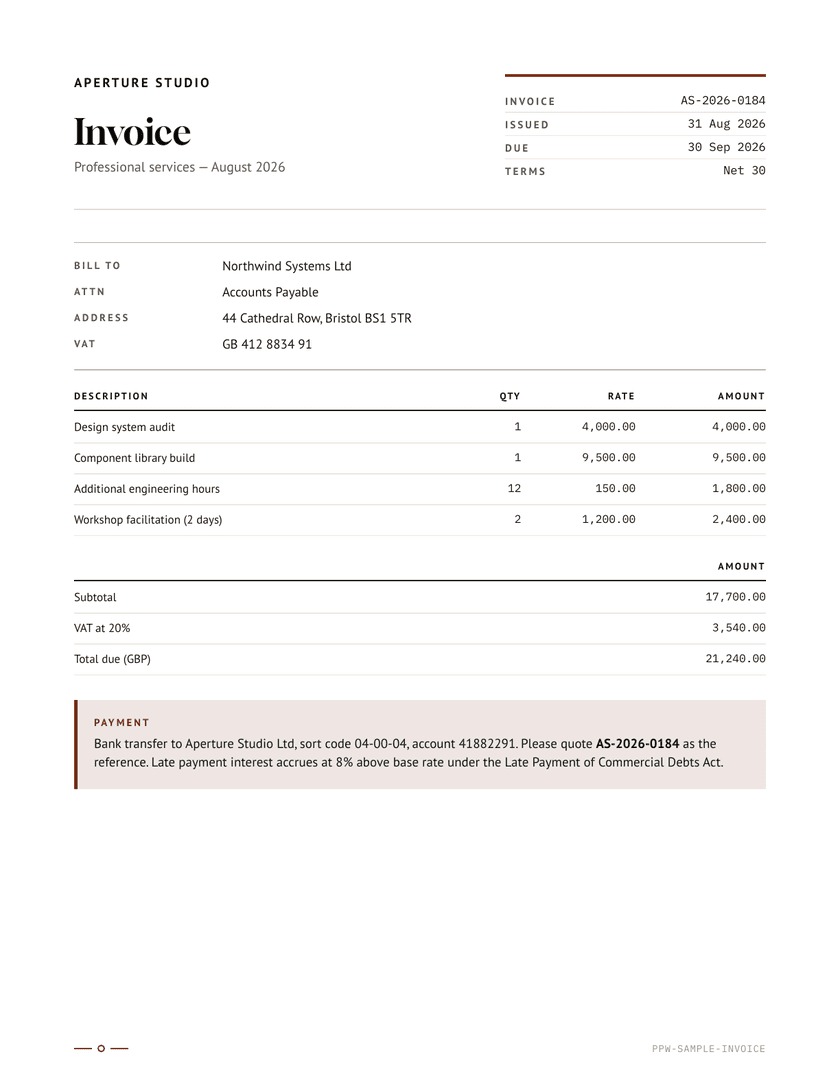
Invoice
invoiceBrand block, bill-to, a real ruled table and a totals callout that stays with its table.
Figures set in mono, so the money column lines up down the page.
Open the sample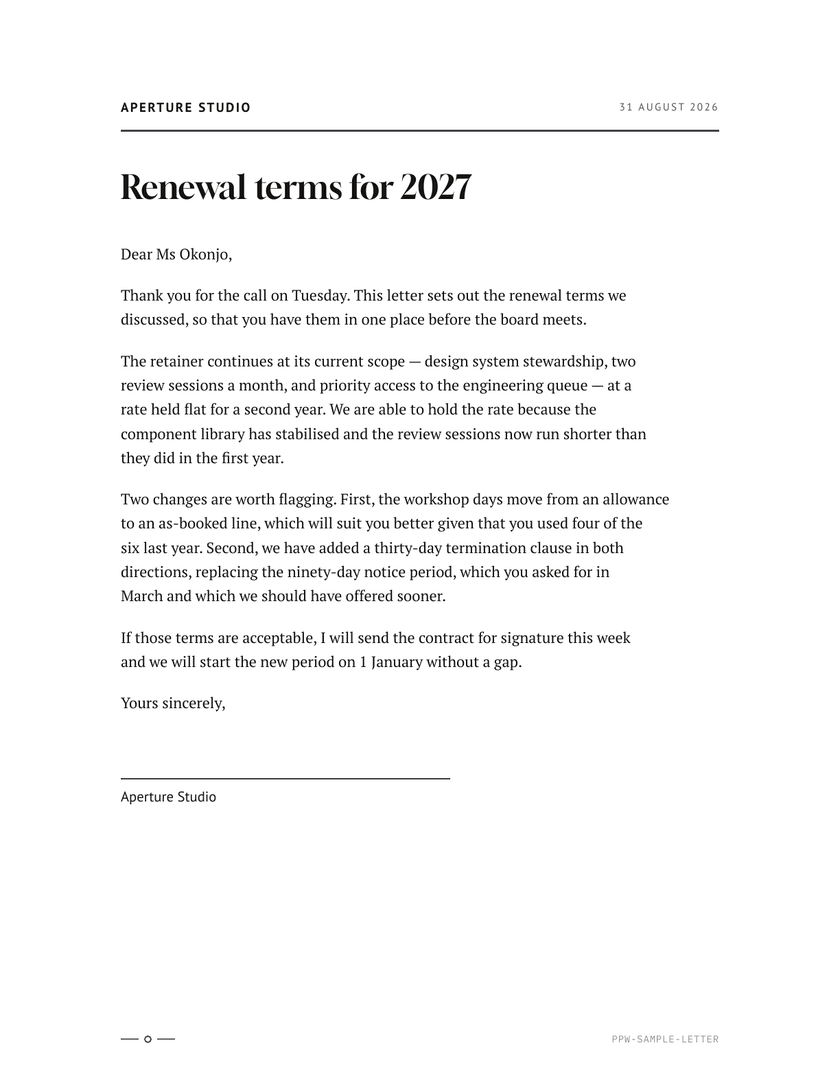
Letter
letterLetterhead, date, recipient block, salutation, and a signature rule at the end.
88pt margins — about 62 characters a line, the correspondence measure.
Open the sampleDetails that matter in print
The small things a screenshot gets wrong
Headings keep their content
A heading reserves three lines of body text below it. If they do not fit, the heading moves to the next page instead of stranding itself at the foot of this one.
Rules stay with their titles
A section rule and its title are one unit. Splitting them leaves a stray gold hairline in the margin — which is exactly what happened here until it was fixed.
Short paragraphs stay whole
Anything under about three lines never splits. Longer ones get orphan and widow control instead, because a one-line paragraph cannot satisfy a two-line orphan rule.
Table rows never split
A row is atomic. Long tables repeat their header across the page break; short ones do not, because a repeated header on a four-row table is noise.
Figures line up
Right-aligned columns are set in a monospaced face, so a column of money reads as a column rather than a wobble.
Ragged right, no hyphen ladders
Automatic hyphenation is off. On a narrow measure it produces a staircase of hyphens down the right edge, which is worse than an uneven rag.